
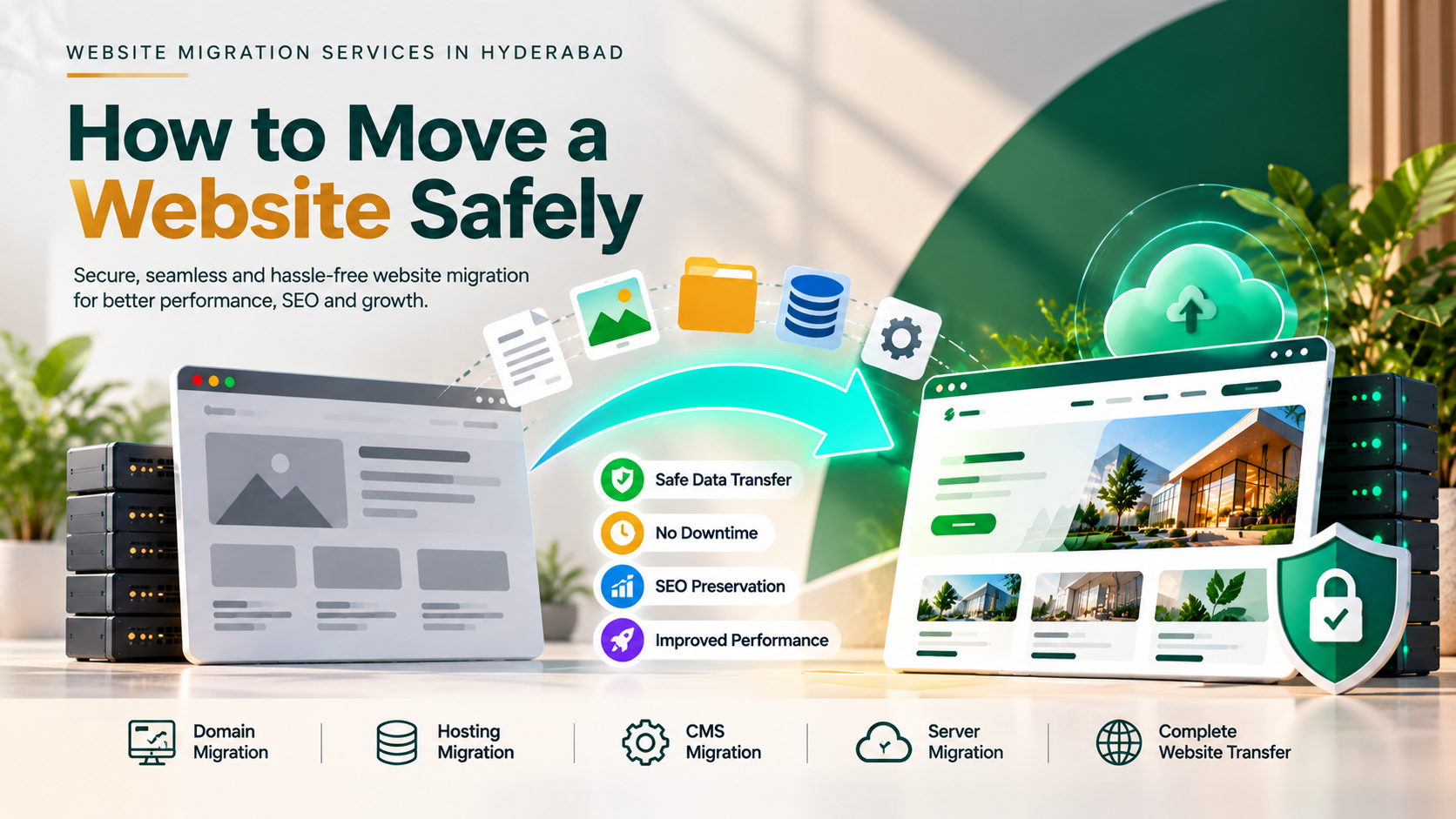
A website is an important part of your business, helping customers discover your services, learn about your brand, and contact your team. However, as your business grows, your existing website may need to move to a better hosting provider, a new domain, a different content management system, or an upgraded platform. This process is known as website migration.
Choosing professional website migration services in Hyderabad can help businesses move their websites safely while minimizing downtime, protecting search engine rankings, and maintaining a smooth user experience. A poorly planned migration can lead to broken links, missing pages, website errors, lost enquiries, and a decline in organic traffic.
Whether you run a small business website, a corporate website, a WordPress website, or an e-commerce store, understanding the website migration process can help you avoid unnecessary problems.
In this guide, we explain what website migration involves, when your business needs it, how to migrate a website safely, and what to consider when choosing a website migration company in Hyderabad.
What Is Website Migration?
Website migration is the process of making significant changes to a website’s platform, domain, hosting environment, URL structure, or underlying technology. Depending on the project, migration may involve moving website files, databases, images, content, email configurations, and other technical components.
For example, a business might move its website from shared hosting to a cloud server to improve performance. Another business might migrate from an older website platform to WordPress to simplify content management.
Website migration can involve several types of changes:
- Hosting migration: Moving a website from one hosting provider or server to another.
- Domain migration: Moving a website to a new domain name.
- Platform migration: Moving from one content management system or website platform to another.
- Website redesign migration: Launching a redesigned website with changes to page structure, content, or URLs.
- E-commerce migration: Moving an online store to another platform while preserving product information, customer data, and essential store functionality.
- HTTPS migration: Moving a website from HTTP to secure HTTPS connections.
- URL structure migration: Changing website URLs or reorganizing pages and categories.
Each migration type has different technical requirements. A hosting migration may require careful DNS and database configuration, while a platform migration may also involve rebuilding templates, transferring content, and mapping old URLs to new one
Why Do Businesses Need Website Migration Services in Hyderabad?
Businesses may decide to migrate their websites when their current setup no longer meets their technical or commercial requirements.
1. Slow Website Performance
A website that loads slowly can frustrate visitors and make it harder for them to browse services or complete purchases. If your existing hosting environment cannot support your website’s requirements, moving to a more suitable hosting solution may help.
Professional website migration services can help transfer website files and databases, configure the new hosting environment, and test performance before launch.
However, migration alone does not guarantee faster loading. Website code, images, caching, database performance, and server configuration must also be considered.
2. Changing Your Website Platform
Some businesses start with a basic website builder and later need greater control over their content, design, integrations, or functionality.
Migrating to a platform such as WordPress or a suitable e-commerce system can provide more flexibility, depending on the business requirements.
A platform migration should include content mapping, design planning, functionality testing, and SEO checks to ensure that important pages and features are not lost.
3. Moving to a Better Hosting Provider
Your existing hosting provider may offer limited resources, unreliable performance, insufficient support, or features that no longer suit your website.
Moving to a more appropriate hosting environment can improve infrastructure reliability and scalability when the new service is properly configured.
Before choosing a new provider, compare server resources, backups, security features, support, renewal prices, and compatibility with your website.
4. Rebranding or Changing Your Domain Name
A business may change its domain because of a rebrand, a new business name, or a strategic change in its online presence.
A domain migration requires careful planning because existing URLs may already be indexed by search engines and linked from other websites.
Permanent redirects, updated internal links, canonical tags, sitemap updates, and search engine monitoring are important parts of a domain migration.
5. Improving Website Security and Maintainability
Older websites may use outdated software, unsupported plugins, or configurations that are difficult to maintain.
A migration can provide an opportunity to move to a supported platform and improve security practices. However, migrating a website does not automatically remove vulnerabilities; the new environment must also be properly secured.
Types of Website Migration Services
The right migration service depends on your website’s current setup and the outcome you want to achieve.
Website Hosting Migration Services
Hosting migration involves moving website files, databases, and related configurations from one server to another.
A typical process includes backing up the current website, preparing the new server, transferring files and databases, testing the website, updating DNS settings, and monitoring the live environment.
Businesses should also verify SSL certificates, email delivery, contact forms, scheduled tasks, and other services that may depend on the old hosting environment.
WordPress Website Migration Services
WordPress migration may involve moving a website between hosting providers, transferring it to a different domain, or moving it from another platform to WordPress.
Important considerations include the WordPress database, media library, themes, plugins, user accounts, permalinks, and configuration settings.
For businesses planning a WordPress migration, working with an experienced WordPress development company in Hyderabad can help ensure the new website remains manageable, secure, and responsive.
E-Commerce Website Migration
E-commerce migration requires additional attention because an online store may contain products, product variations, customer accounts, orders, payment configurations, discount rules, shipping settings, and inventory data.
Before migration, businesses should identify which records need to be transferred and how they will be validated.
Payment gateways, checkout processes, tax settings, shipping calculations, transactional emails, and order workflows should be tested carefully before the new store goes live.
Domain Migration Services
Domain migration involves moving a website from an existing domain to a new one.
For example, a business may move from an older branded domain to a new domain that better reflects its current identity.
The migration plan should include a page-by-page redirect map, updated internal links, a new XML sitemap, canonical URL checks, and appropriate updates in Google Search Console.
A domain migration can cause temporary ranking fluctuations, so businesses should monitor traffic and indexing after launch rather than assuming performance will remain unchanged immediately.
How to Move a Website Safely: Step-by-Step Process
A successful website migration begins with preparation rather than immediately transferring files or changing DNS settings.
Step 1: Audit Your Existing Website
Before migration, review the current website to understand what needs to be transferred and protected.
Create an inventory of important URLs, website pages, images, downloadable files, forms, plugins, integrations, and other essential features.
If SEO performance matters, record existing organic traffic, important landing pages, indexed URLs, backlinks, page titles, meta descriptions, and current rankings where available.
This baseline helps you identify problems after migration and understand whether important content or functionality has been lost.
Step 2: Create a Complete Backup
A reliable backup is one of the most important parts of website migration.
Create a backup of website files, databases, media, configuration files, and other necessary data. For an e-commerce website, determine how to handle new orders and customer activity during the migration window.
Store backups securely and verify that they can be restored. A backup that has never been tested may not provide reliable protection.
Avoid making major changes to the original website until the migration is validated and a rollback plan is available.
Step 3: Prepare the New Hosting or Platform
Configure the new hosting environment or destination platform before moving the live website.
This may involve setting up the database, installing the required software, configuring PHP or other runtime versions, setting permissions, preparing SSL certificates, and checking resource requirements.
For a platform migration, prepare the new templates, page structure, content types, and integrations.
The destination environment should be tested before public traffic is directed to it.
Step 4: Transfer Website Files and Data
Move the required website files, databases, media, and configuration settings to the new environment.
The exact process depends on the platform and hosting setup. A WordPress migration, for example, may require transferring the database and media library as well as updating configuration values.
Check that file permissions, database connections, image paths, plugins, themes, and required dependencies work correctly.
For larger websites, a staged or incremental transfer may be necessary to reduce the risk of losing recent changes.
Step 5: Map Old URLs to New URLs
URL mapping is especially important when a migration changes the website structure or domain.
Create a list matching each important old URL to its corresponding new URL. Where a page has moved permanently, implement an appropriate permanent redirect, usually a server-side 301 redirect.
Avoid redirecting every old page to the homepage when more relevant destination pages exist. Redirects should lead visitors and search engines to the closest appropriate replacement.
Check for redirect chains, redirect loops, broken links, and missing pages.
Step 6: Test the Website Before Launch
Do not make the new website public until essential checks are complete.
Test:
- Homepage and important landing pages
- Navigation menus and internal links
- Contact forms and enquiry submissions
- Login and registration features, where applicable
- Product pages and checkout processes
- Payment gateway integrations
- Mobile and tablet layouts
- Images, downloads, and embedded media
- SSL certificates and HTTPS redirects
- Page titles, meta descriptions, and canonical tags
- XML sitemap and robots.txt
- Analytics and conversion tracking
- Page loading speed and server responses
Use a staging environment when possible. Prevent search engines from indexing staging pages, but make sure the appropriate indexing settings are enabled on the production website after launch.
Step 7: Launch the Website Carefully
Once testing is complete, schedule the launch during a period when disruption to customers and business operations can be minimized.
Depending on the migration, launch activities may include updating DNS records, switching the production environment, enabling redirects, refreshing caches, and checking SSL configuration.
DNS changes can take time to propagate, so the migration plan should account for the old and new environments potentially receiving traffic during the transition.
For websites that receive frequent orders or customer submissions, use a strategy that prevents data from being lost or overwritten during the switch.
Step 8: Monitor SEO and Website Performance
Website migration does not end when the new website becomes accessible.
Monitor the website closely after launch. Check Google Search Console for indexing issues, crawl errors, unexpected URL changes, and sitemap processing.
Review analytics to identify unusual changes in organic traffic, conversions, enquiries, and important landing-page performance.
Test redirects and key user journeys again, and resolve any errors promptly.
Search engines may need time to recrawl and process migrated URLs. Some fluctuations can occur, but significant or persistent declines should be investigated rather than ignored.
How Website Migration Affects SEO
SEO is one of the most important considerations during website migration. Search engines rely on URLs, internal links, content, redirects, canonical tags, and other signals to understand a website.
If these elements are changed without a clear plan, the website may lose visibility for some searches.
Preserve Important URLs Where Possible
If there is no strong reason to change an existing URL, retaining it can reduce unnecessary migration complexity.
When URLs must change, map the old URLs to relevant new pages and implement suitable redirects.
Maintain Valuable Content
Do not remove useful content simply because the website is being redesigned or moved to a new platform.
Review existing pages, service descriptions, blog posts, metadata, and internal links before deciding what to keep, improve, consolidate, or remove.
Content changes should support the new website’s goals without unnecessarily eliminating pages that attract relevant traffic.
Update Internal Links and Canonical Tags
Internal links should point directly to the correct destination URLs instead of passing through unnecessary redirects.
Canonical tags should reference the intended preferred URLs, particularly when the domain, URL structure, or page templates have changed.
Submit an Updated XML Sitemap
After migration, ensure the XML sitemap contains the correct canonical URLs and excludes unwanted or redirected URLs where appropriate.
Submit or resubmit the sitemap in Google Search Console and monitor indexing reports.
Monitor Search Performance
Compare post-migration traffic and search performance against the baseline collected before the migration.
Investigate broken pages, missing redirects, incorrect canonical tags, blocked resources, indexing problems, and unexpected changes to important content.
For additional guidance, see our article on Local SEO for Hyderabad Businesses.
Common Website Migration Mistakes to Avoid
Website migration can become complicated when important details are overlooked.
Skipping backups: Without a reliable backup, recovering from a failed migration can be difficult.
Ignoring redirects: Old URLs may return errors or send visitors to irrelevant pages if redirects are not planned correctly.
Launching without testing: Broken forms, missing images, payment errors, and mobile layout issues can affect customers immediately.
Forgetting SEO settings: Incorrect canonical tags, missing metadata, or accidental indexing restrictions can harm search visibility.
Changing too many things at once: Changing the domain, platform, URL structure, content, and design simultaneously makes it harder to identify the cause of performance problems.
Ignoring email configuration: Moving a website can affect domain-related email if DNS records such as MX, SPF, DKIM, and DMARC are not handled correctly.
Failing to monitor the website: Problems that appear after launch can persist if nobody checks traffic, errors, conversions, and indexing.
A structured migration plan helps reduce these risks and makes troubleshooting easier.
How Much Do Website Migration Services in Hyderabad Cost?
The cost of website migration services in Hyderabad depends on the size of the website, the type of migration, the amount of data involved, the complexity of the platform, and the level of testing required.
A straightforward hosting migration for a small business website will generally require less work than migrating a large e-commerce store or rebuilding a custom web application on a different technology stack.
The following figures are indicative planning ranges, not verified market averages or fixed quotations.
| Migration Type | Indicative Cost |
|---|---|
| Basic Small Website Migration | ₹5,000–₹15,000 |
| WordPress Website Migration | ₹8,000–₹25,000 |
| Domain Migration with Redirects | ₹10,000–₹30,000 |
| Business Website Platform Migration | ₹20,000–₹60,000+ |
| E-Commerce Website Migration | ₹30,000–₹1,00,000+ |
| Complex Custom Website Migration | ₹50,000+ |
Actual prices may be lower or higher depending on the scope.
Additional work may include redesigning the website, rewriting content, fixing technical SEO problems, configuring a new hosting environment, rebuilding integrations, migrating large databases, or providing extended post-launch support.
Before approving a quotation, ask the service provider to explain the scope, estimated timeline, backup arrangements, redirect plan, testing process, and post-migration support.

How Long Does Website Migration Take?
The migration timeline depends on the website’s size, complexity, and technical requirements.
A simple hosting migration may take one to three business days of work, while a larger WordPress migration or platform change may take several days to a few weeks.
Complex e-commerce migrations and custom application projects can take longer because they require additional data validation, integration testing, and business process checks.
The timeline may also depend on DNS propagation, access to the old hosting account, content preparation, third-party services, and approval from the business team.
A realistic schedule should include preparation, backup, migration, testing, launch, and post-launch monitoring.
How to Choose the Right Website Migration Company in Hyderabad
Choosing the right migration partner can help reduce downtime, technical errors, and unnecessary disruption to your business.
Before hiring a website migration company in Hyderabad, consider the following factors.
Technical experience: Check whether the provider has experience with your current platform, destination platform, hosting environment, and website type.
SEO migration knowledge: Confirm that the team understands URL mapping, redirects, canonical tags, XML sitemaps, indexing, and search performance monitoring.
Backup and recovery planning: Ask how backups are created, where they are stored, and how the team would restore the website if something goes wrong.
Testing procedures: Make sure the provider tests important pages, forms, integrations, payments, mobile layouts, and security configurations.
Transparent pricing: Request a written quotation that explains the work included, exclusions, expected timeline, and any additional charges.
Post-launch support: Check whether the company provides monitoring and assistance after the migration is complete.
A suitable migration partner should be able to explain the process clearly and tailor the approach to your business requirements.
Why Choose SJ CreativeWorks for Website Migration in Hyderabad?
SJ CreativeWorks helps businesses build, improve, and maintain their digital presence through website design and development services.
When planning a website migration, the right approach depends on your current website, destination platform, business requirements, and SEO priorities.
A migration project may involve transferring website files and databases, configuring hosting, moving WordPress content, mapping URLs, testing forms and integrations, and checking website performance before and after launch.
For businesses in Hyderabad, migration planning should also consider local search visibility, important service pages, customer enquiries, and the website’s role in generating leads.
Whether you operate a small business website, a corporate website, a WordPress site, or an online store, a structured migration process can help minimize avoidable disruption.
If your existing website also needs a redesign or performance improvements, explore our guides on WordPress Development in Hyderabad and Website Performance Optimization.
Final Thoughts
Website migration can help businesses move to better hosting, adopt a more suitable platform, change domains, improve maintainability, or support future growth. However, the process requires careful preparation to protect website functionality, important content, customer data, and search engine visibility.
The safest approach is to audit the existing website, create verified backups, prepare the destination environment, transfer data carefully, map URLs, test essential functions, and monitor the website after launch.
For businesses looking for website migration services in Hyderabad, selecting an experienced provider and defining a clear migration plan can help make the transition more predictable.
If your business is planning a website migration, start by identifying why the move is necessary, which pages and features must be preserved, and what success should look like after launch. This will help you choose the right migration strategy and protect the long-term value of your website.